Dear All,
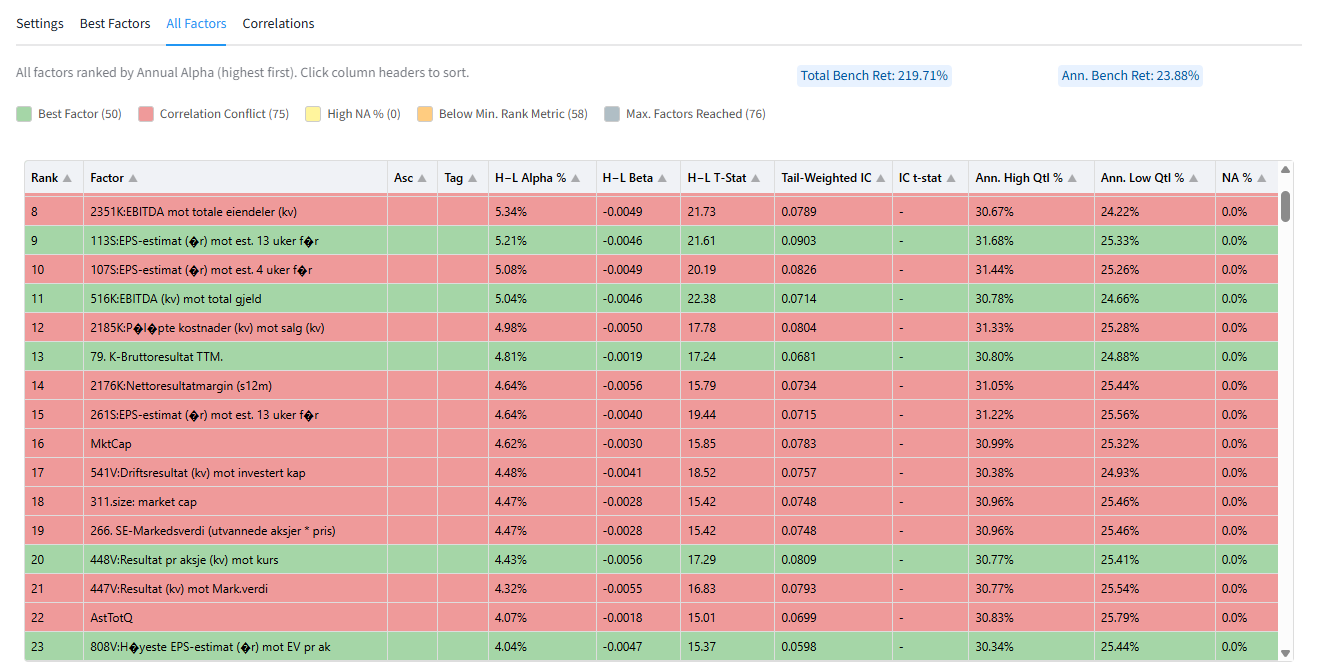
Portfolio123’s new FactorMiner is now available. FactorMiner evaluates each factor independently and reports key metrics such as annualized alpha, beta, tail-weighted information coefficient, t-statistics, high/low quantile returns, missing-value coverage, and factor correlations. It can rank factors by Alpha or IC, automatically detect the best sort direction for the H-L portfolio. It then creates a subset of the best factors using a maximum correlation coefficient.
How to access it
NOTE: FactorMiner currently lives inside "Factor List", but it will soon be moved to a new home together with other "apps".
- Go to RESEARCH → TOOLS → Download Factors
- Create a Factor List with your superset of factors
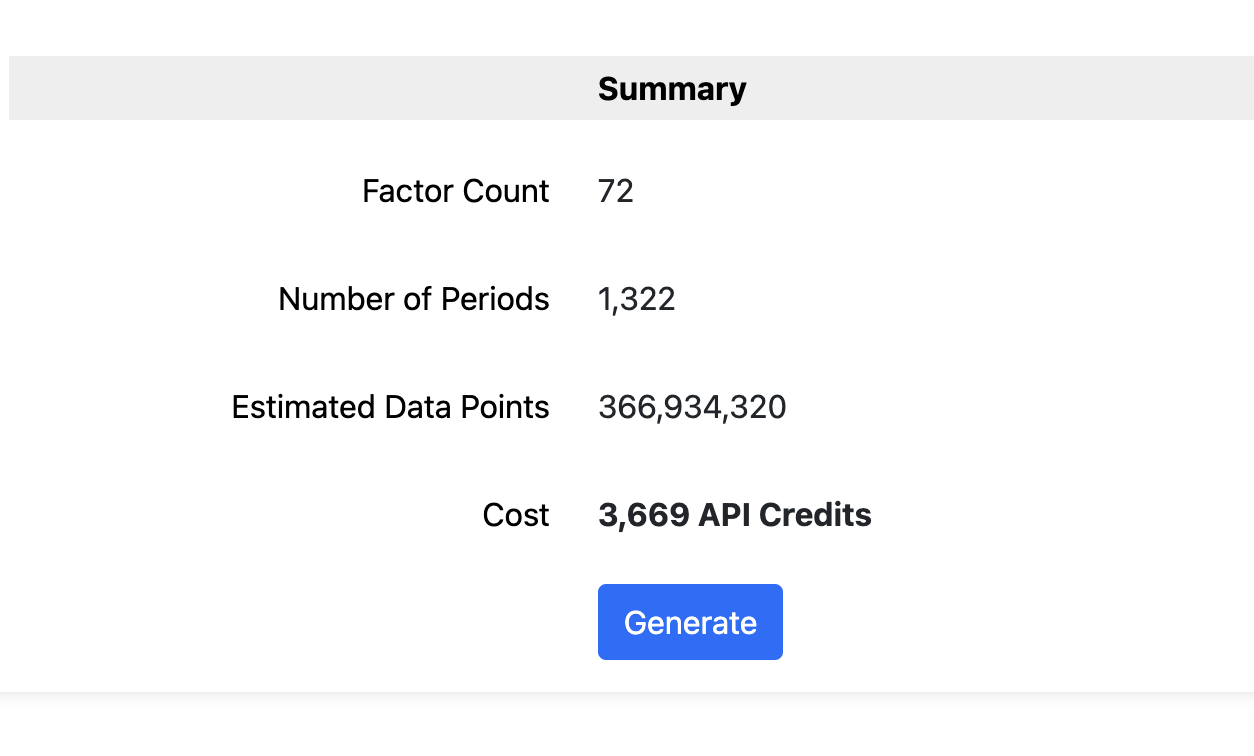
- Generate the dataset (this step currently requires API credits)
- Click Analyze → FactorMiner Launch
- You will be redirected to a Streamlit app running in our servers
- Review settings and click analyze
What it does
FactorMiner helps you quickly identify high-alpha factors from large factor datasets. Instead of manually testing hundreds or thousands of factor formulas one at a time, FactorMiner automates univariate factor analysis and produces a refined list of the strongest candidates for use in Ranking Systems, Screens, AIFactor, or external research workflows.
Additional Info
Please see the Knowledge Base article here for screenshots and more details on each feature
Testimonials
Some of the reactions from our QA testers:
I just was able for the first time since several months to substantially improve my US strategy... Thanks to FactorMiner
20 year simulation based on ML validations: Sim CAGR before 46% --> Sim CAGR now 61% at same turnover...
would never have thought that there is THAT much juice left to squeeze in simple univariate feature engineering
Anyway... I love it so far
Roadmap
- Datasets are coming. FactorMiner currently lives inside "Factor Lists" which were created for downloading normalized dataset. This is temporary while we create a proper "Dataset" component (extensible, updatable, re-usable, sharable, etc)
- Add more flexibility with how performance is calculated. Add more stats. Auto correlation analysis. Etc.
- User contributions! FactorMiner is an open source project. You can download it from our repo portfolio-123 (Portfolio123) · GitHub and run it locally in your computer. Contact us if you would like to contribute to the official version that runs in our server.
Why you should use it
Factor libraries can be extremely large. A single idea—value, quality, growth, sentiment, revisions, momentum, or risk—can have many formula variations. FactorMiner turns that problem into a repeatable research workflow: generate a dataset, run the analysis, review the best factors, and export the results.
This is especially useful for univariate feature engineering. By testing one factor at a time, you can quickly answer practical questions:
- Which formula variation has the strongest standalone predictive power?
- Should higher or lower values be preferred?
- Does the factor work in the top tail, bottom tail, or long/short spread?
- Is the factor too sparse because of missing data?
- Is it redundant with other selected factors?
FactorMiner for AI and AIFactor
FactorMiner is a strong pre-processing tool for AI workflows. Machine learning models often suffer when the input feature set contains too many weak, noisy, missing, or highly correlated features. FactorMiner helps reduce that problem before model training.
AI use cases
Feature engineering: Quickly generate candidate features from Portfolio123 factors or formulas
Feature selection: Keep factors with stronger alpha, IC, and t-statistics while excluding weaker candidates.
Correlation reduction: Use the correlation threshold to avoid selecting highly redundant factors, improving diversification across model inputs.
Cleaner AI datasets: Filter out factors with excessive missing data before they reach the model.
Alpha-focused model inputs: Build AIFactor models from features that already demonstrated standalone predictive value.
For Ranking Systems
Use FactorMiner to identify factors with the best IC, remove highly correlated duplicates, and combine the remaining candidates into a ranking system. The result is a more disciplined alpha-generation process:
- Start with a broad set of candidate factors.
- Use FactorMiner to measure each factor’s standalone predictive power.
- Select factors with strong IC or alpha.
- Remove highly correlated features.
- Combine the best factors in a Ranking System
- Validate the result in full simulations.
FactorMiner is designed as a pre-analysis tool, not a replacement for full strategy validation. Portfolio123 recommends validating results in full trading simulations that account for slippage, fees, liquidity, transaction prices, and factor interactions before using them in live strategies.
Bottom line: FactorMiner gives Portfolio123 users a faster path from factor ideas to usable alpha candidates. It helps researchers discover high-performing formulas, engineer better AI features, reduce correlated inputs, and build more focused models from the factors with the strongest evidence of predictive power.