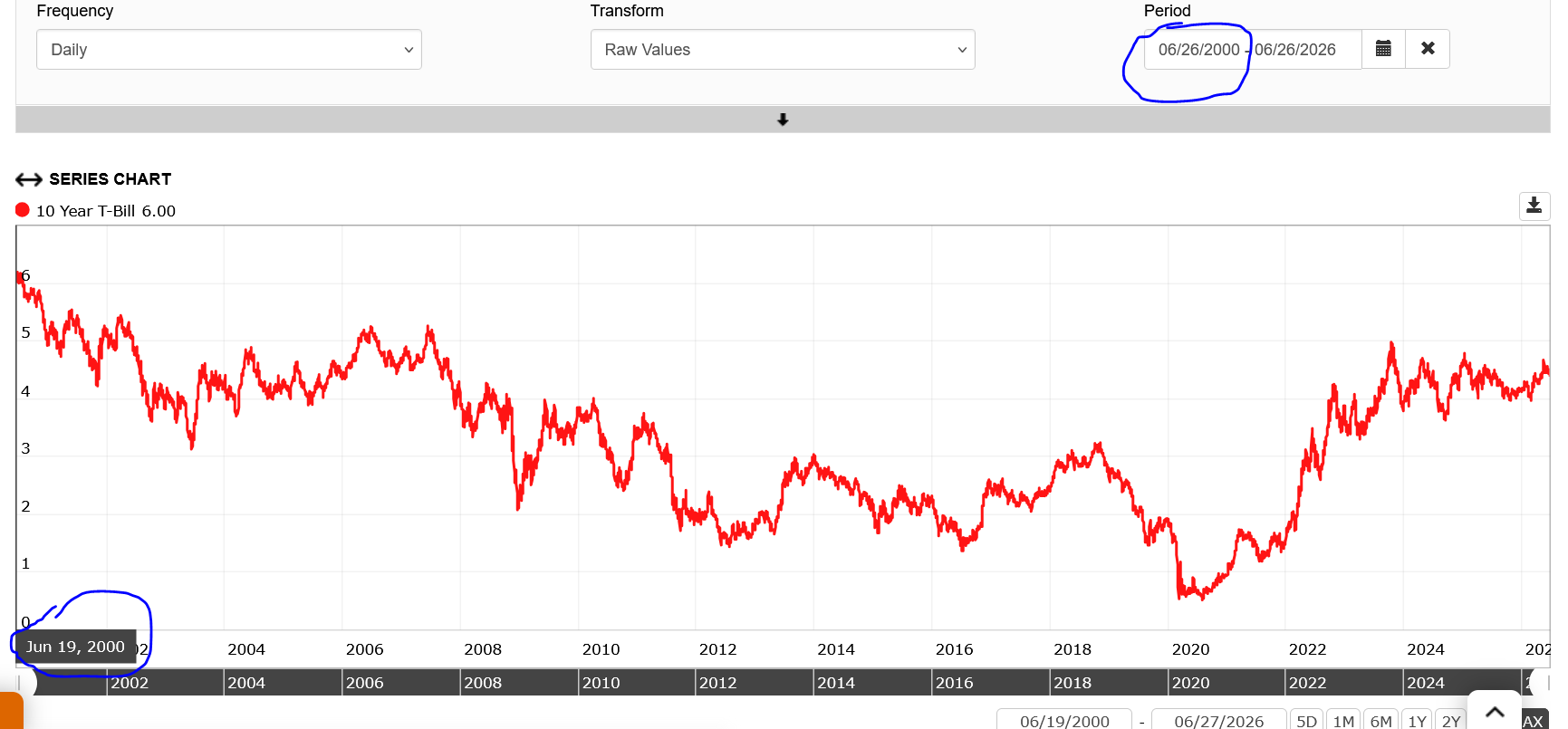
I am trying to download the data for the ust10yr and the start date refuse to match what I am trying to use. I have tried multiple start dates. It appears to usually pick an earlier date than I need. Any ideas?
https://www.portfolio123.com/app/series/summary/17414?st=1&mt=8
![]()
Try zooming in on the leftmost portion of the chart until you're viewing about one month's worth of data. Then check the very first date displayed on the chart. I think it should match the date shown in the Calendar section, which suggests this is just a display issue.
Its not a chart issue. I’m not interested in the chart. I am downloading the data for program that expects certain date ranges of data. The start dates are wrong.
Thanks
Tony
I understand. The chart itself isn't the issue. It's the downloaded data.
The download uses the data currently loaded into the chart. If the chart hasn't been updated to the date range you specified, the download will start from whatever data is currently loaded.
Try selecting the desired date range, click Update, and then, before downloading, scroll to the beginning of the loaded data and zoom in slightly. Verify that the first date matches the start date in the date range selector. If it does, the downloaded file should begin on that same date as well.
I've tried this several times and it works as expected.
Thanks Walter. It suddenly started working correctly again without me having to do anything. Weird.
Thanks for your help.
Tony