How do I access “Rank Performance” or “Historical Performance by Rank”? I have searched for it for over an hour and read the docs and nothing.
Thank you.
How do I access “Rank Performance” or “Historical Performance by Rank”? I have searched for it for over an hour and read the docs and nothing.
Thank you.
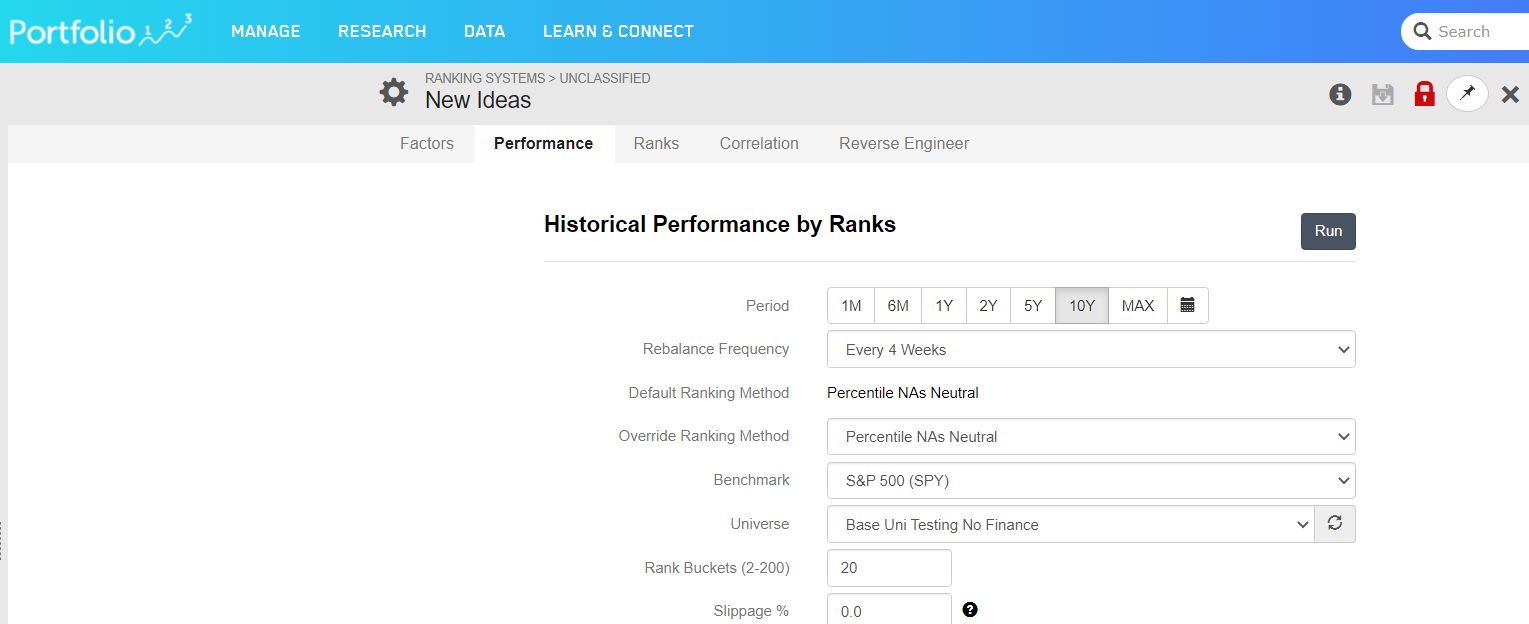
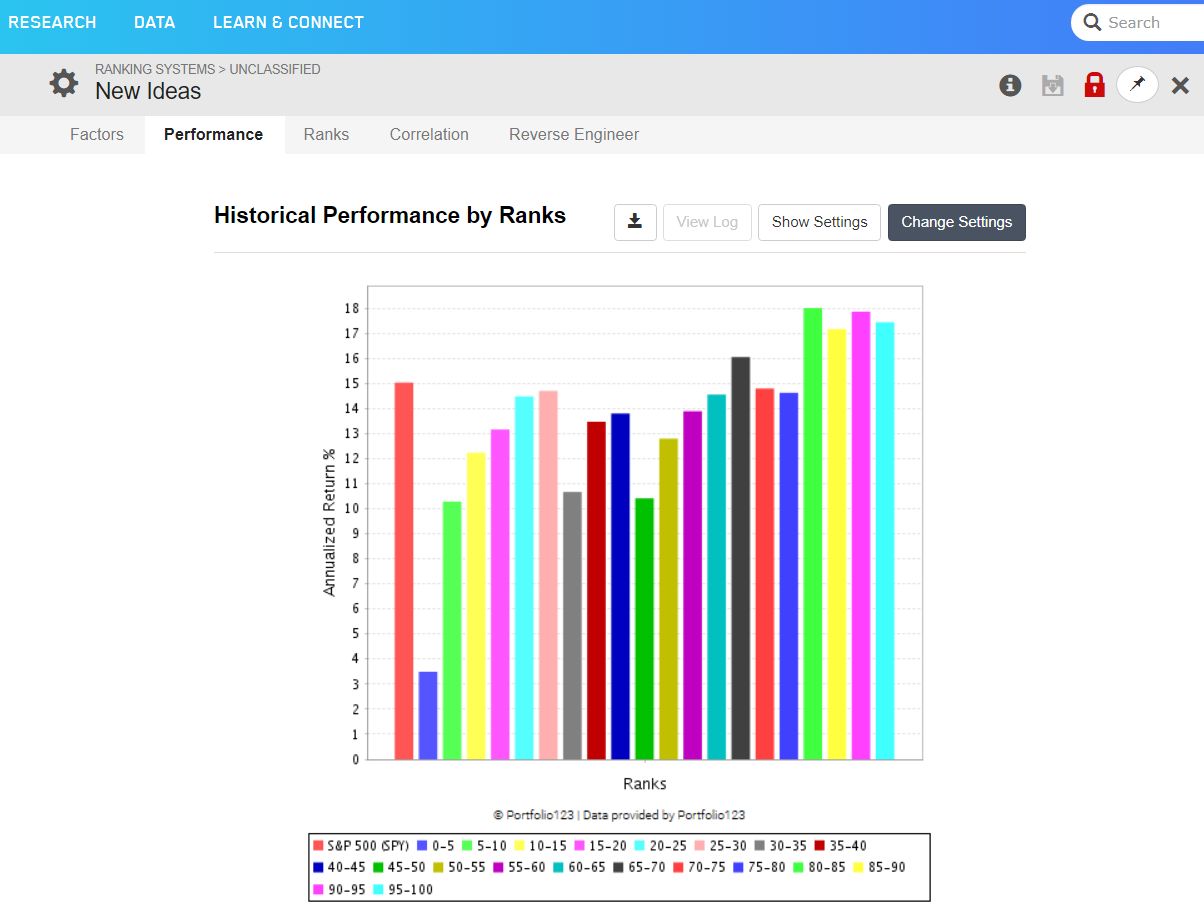
I think you may be looking for the performance tab under the ranking systems. (research-ranking). It shows the percentile historical performances for the ranking system you’re working on. It’s been a while since i’ve looked, but should be discussed in the tutorials going over building ranking systems.
Here’s a couple screenshots (one one the performance tab prior to running the performance backtest, and then the histogram results after running):
I found it.
You have to do more than go to Research → Ranking. You have to open an actual ranking system and then click “Run” in the upper-right corner for the bar graph to appear.