Sorting stocks in screener using FRank

Hi all,

I have a simple screen with a ranking system and two free-form rules:

AvgDailyTot(60)>300000 & close(0)>2 //line 1
FRank(“ChaikinAD(7,0)”, #All, #DESC)<99 AND Showvar(@AD7,“ChaikinAD(7,0)”) //line 2

I noticed the following:

  • whether I have line 2 active or not, the stocks are always sorted according to the ranking system.
  • when displaying the variable @AD7 in the custom report, it only returns 0 values, although in a fundamental chart I can clearly see actual values for this formula.

My questions:

  1. How can I change the ranking in the screener so that the stocks are sorted according to the FRank rule?
  2. Why are there only 0 values displayed for my variable?

Best regards,
Florian
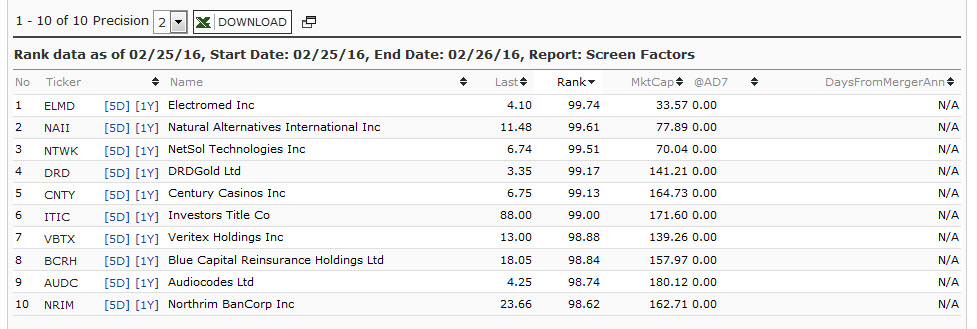

  1. In Main Settings choose to rank by Quick Rank and enter ChaikinAD(7,0) , lower is better
  2. Take quotes out: Showvar(@AD7,ChaikinAD(7,0))

Thanks Marco for the info.

If I cannot overrule the Ranking system order in a screener rule, what is the actual purpose of FRank?

FRank is used to include or exclude parts of the universe. For example, in your FRank command, you are only excluding the top 1% of the universe with respect to your Chaikin indicator. FRank(MktCap)>50 would only include the top half of the market cap companies in the universe. You can sort by your indicator after you run the screen by clicking in the report on the variable.