P123 PySR - Symbolic Regression Factor Discovery for Portfolio123
I came across a machine learning concept that sounded like a perfect fit to generate new factors for P123, Symbolic Regression. I spent a few evenings testing the concept and decided to make an app and share it with the community, I hope you find it useful. The app will generate formulas that can be pasted directly in to your ranking system or AI Project.
Think of it as an alternative to LightGBM/neural networks for factor discovery, except the output is a readable formula like:
(ZScore("Price/PriceH",#All,7.5)+(Pow(2.71828,2*ZScore("fcfttm/ev",#All,7.5))-1)/(Pow(2.71828,2*ZScore("fcfttm/ev",#All,7.5))+1))
You can paste that straight into a P123 StockFormula ranking node.
What is Symbolic Regression?
Traditional ML (LightGBM, XGBoost, neural nets) finds patterns in your data but produces a black-box model that can't be exported to P123. You'd need to run a Python server and use P123's AI Factor to get predictions - complex and fragile.
Symbolic Regression (SR) takes a different approach. Instead of fitting a fixed model structure, it uses evolutionary algorithms (think: natural selection for math formulas) to search the space of mathematical expressions. It breeds, mutates, and evolves formulas over thousands of generations, keeping the ones that predict best while staying simple.
The result: an interpretable equation that you can read, understand, and paste into P123.
Why is it a great match for P123?
-
Direct export - SR formulas translate directly to P123 syntax. No model server, no API calls, no AI Factor subscription needed for deployment.
-
Interpretability - You can see exactly what the formula does.
ROE * Momentum / (Volatility + 0.35)makes economic sense. You can reason about why it works. -
Simplicity - Simple formulas are less likely to overfit. A 5-term formula that works OOS is better than a 500-tree LightGBM that doesn't generalize.
-
FRank/ZScore wrapping - The app automatically wraps features in
FRank()orZScore()when translating to P123, matching your normalization.
Features
- Comprehensive Help Section, all you need to know, start here!
- Automated IC/IR analysis for all your features
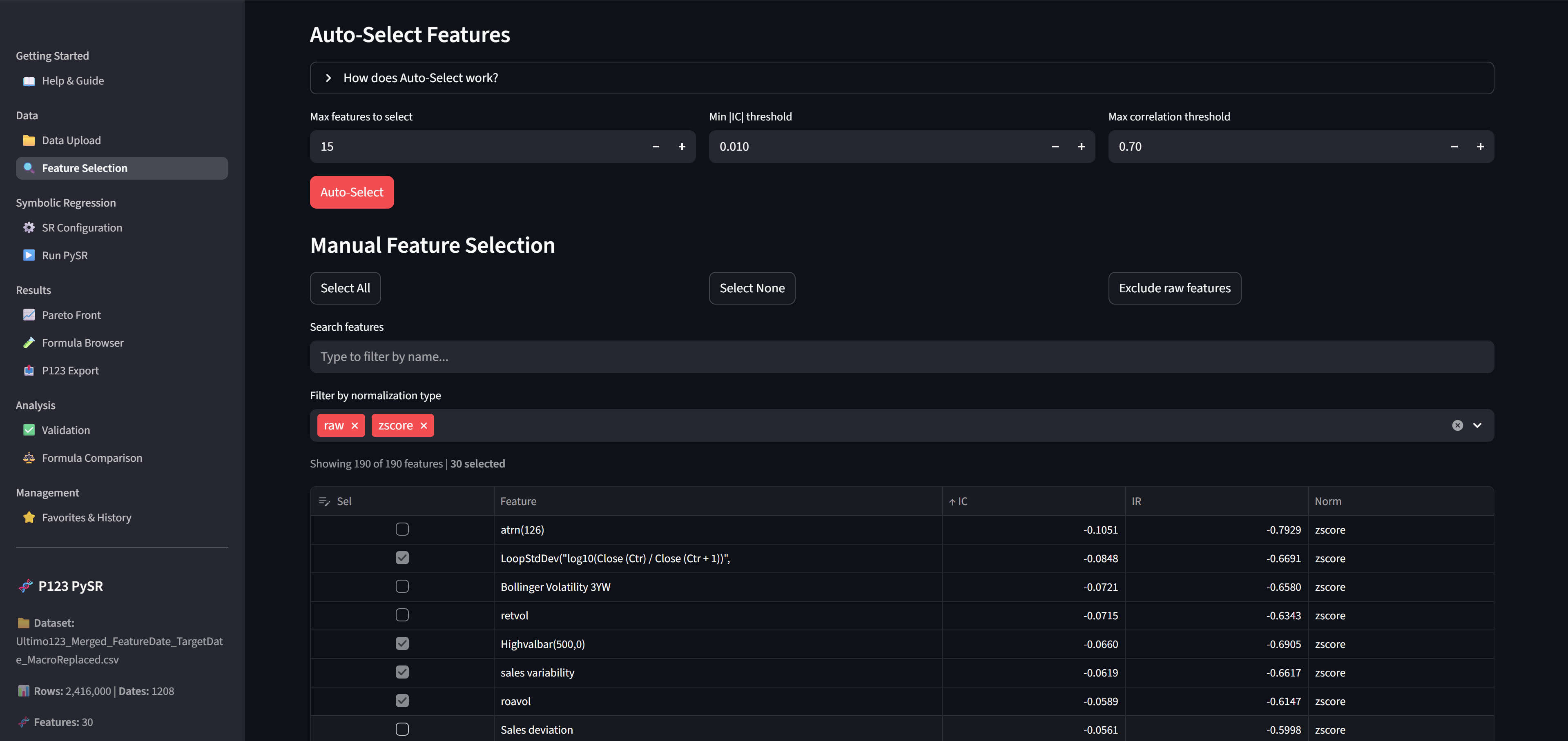
- Smart feature selection with correlation filtering
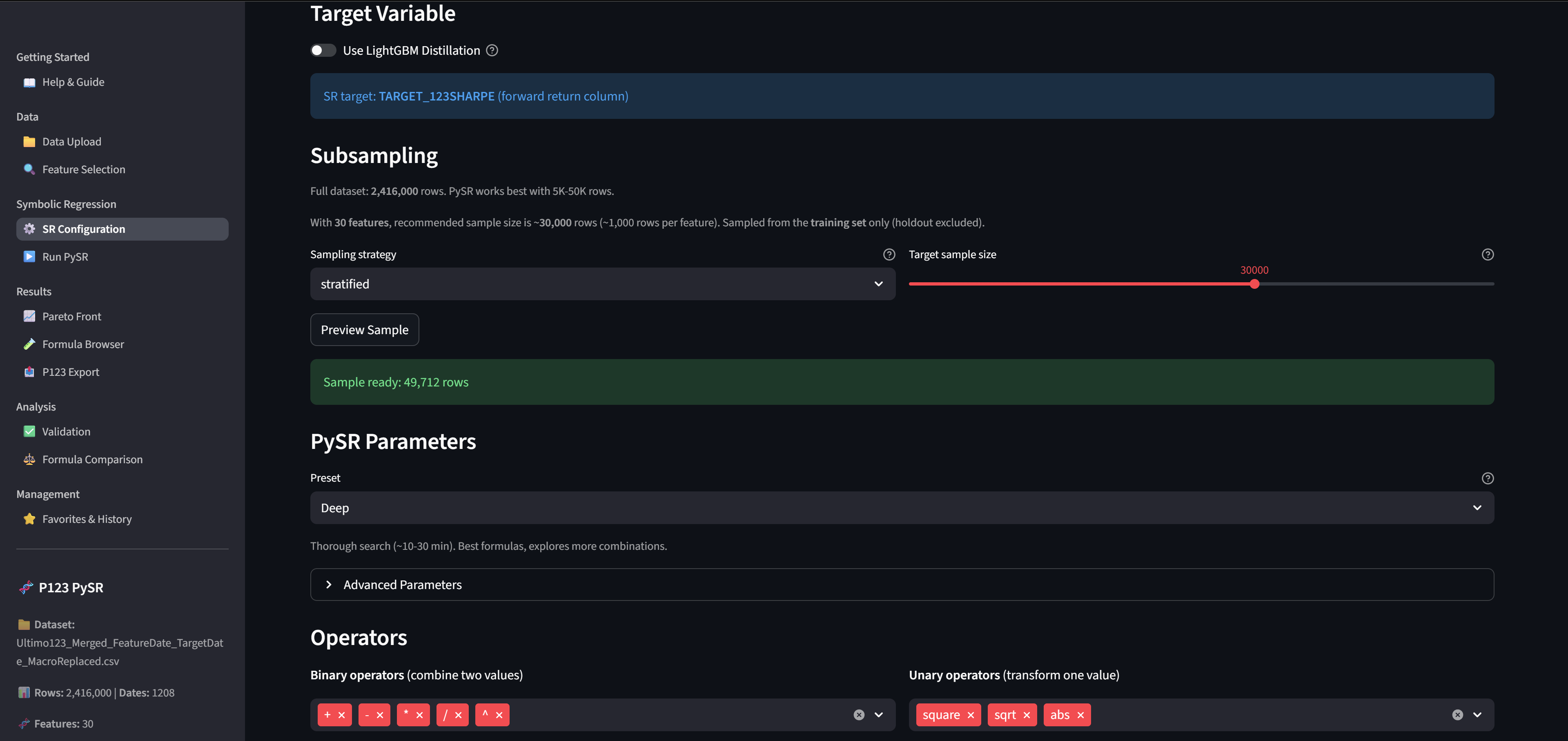
- SR Configuration with an Optional LightGBM distillation (use LightGBM predictions as SR target)
- Temporal holdout split to prevent overfitting
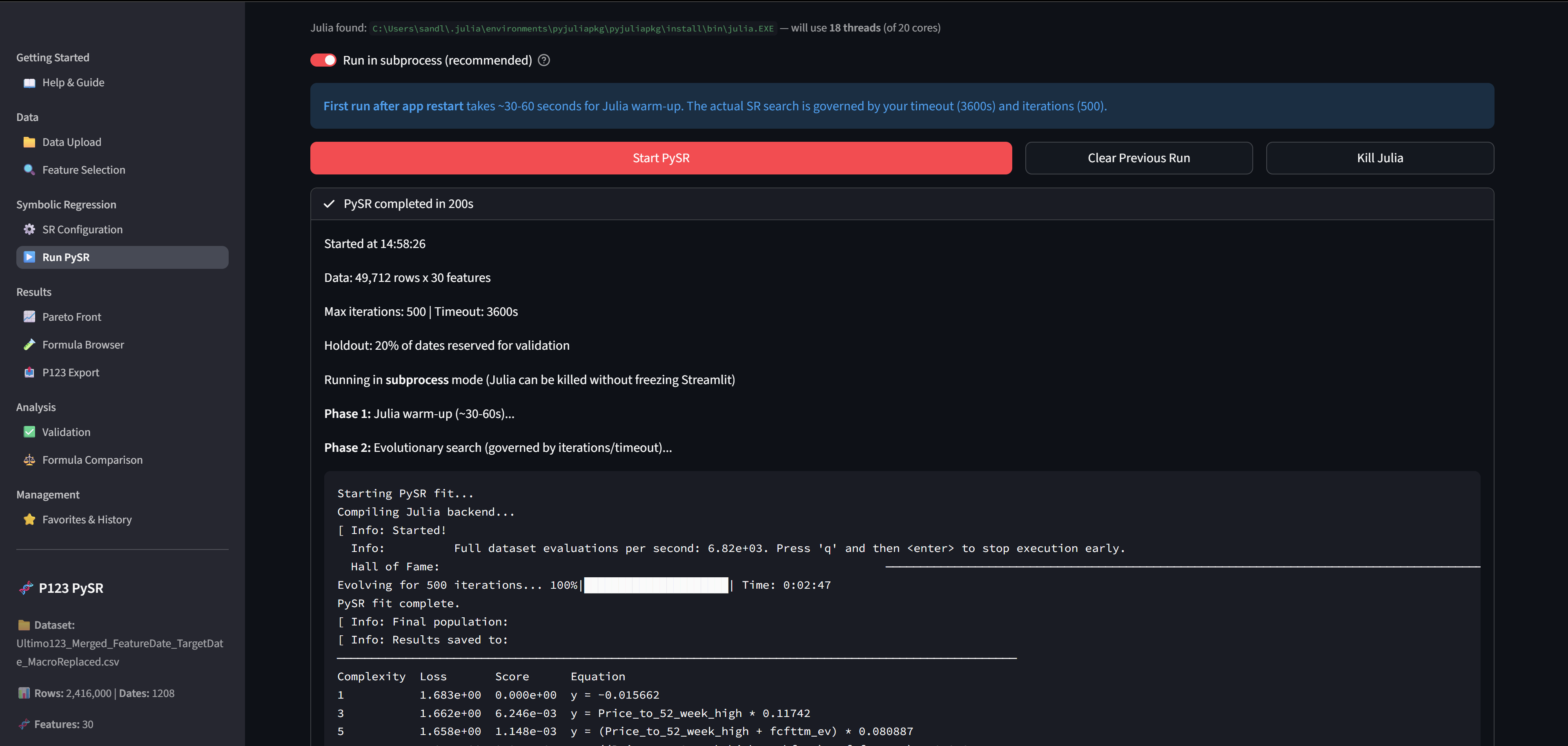
- Live progress display during SR runs
- Automatic P123 formula translation with FRank/ZScore wrapping
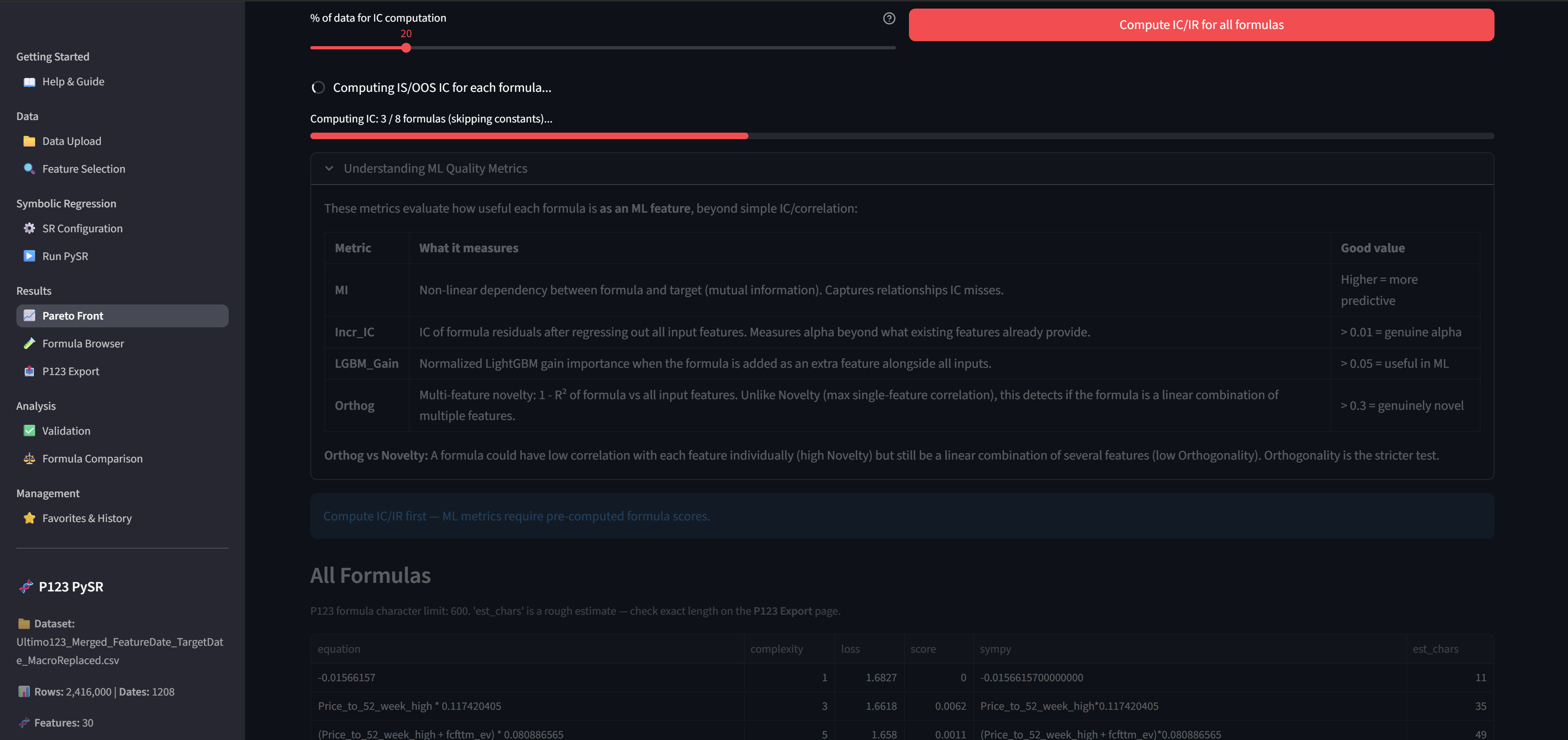
- ML quality metrics to Identify New Features (Mutual Information, Incremental IC, LightGBM Gain, Orthogonality)
- IS vs OOS validation with bucket analysis
- Feature blocking to discover diverse signals across multiple runs
- Formula comparison and favorites management
- Export as text, CSV mapping, or full ranking system XML
... and much much more
How to Install
Prerequisites
You need two things installed before running the app:
-
Python 3.10+ - Download here
- During installation, check "Add Python to PATH"
-
Julia - Download here
- During installation, accept the license and check "Add Julia to PATH"
- Julia is the high-performance language that PySR uses for the evolutionary search
Installation Steps
-
Go to the GitHub repo: https://github.com/Algoman123/P123_PySR
-
Click the green "Code" button, then "Download ZIP"
-
Extract the ZIP to a folder (e.g.,
C:\P123_PySR) -
Double-click
install.bat(requires Python and Julia — see Prerequisites above)- This creates a Python virtual environment and installs all dependencies
- Takes 2-3 minutes on first run
-
Double-click
run.batto launch the app- Your browser will open automatically to
http://localhost:8511 - Now read the Help Section before you continue!
- Your browser will open automatically to
Preparing Your Data
You need a factor download or an AI Factor Download from P123 with at least 1 target, CSV and Parquet files works. You can use both Rank and Z-Score normalization as long as it is by Date. To test this app you can use any old download you already have.
Getting Your P123 Factor Names
To Export formulas, you'll need a mapping from your dataset column names to P123 formulas. The easiest way:
-
In P123, go to AI Factor > Dataset > Features or Download Factors > Factor List > Your List
-
Click Download to get a CSV with
nameandformulacolumns -
Upload this CSV on the P123 Export page in the app
The app strips P123 comments (text after //) automatically.
Quick Workflow
-
Upload your CSV/Parquet on the Data Upload page
-
Select features - compute IC, auto-select top features (or block features from previous runs)
-
Configure - set holdout %, choose Quick/Standard/Deep preset, pick operators
-
Run PySR - watch the evolutionary search in real-time
-
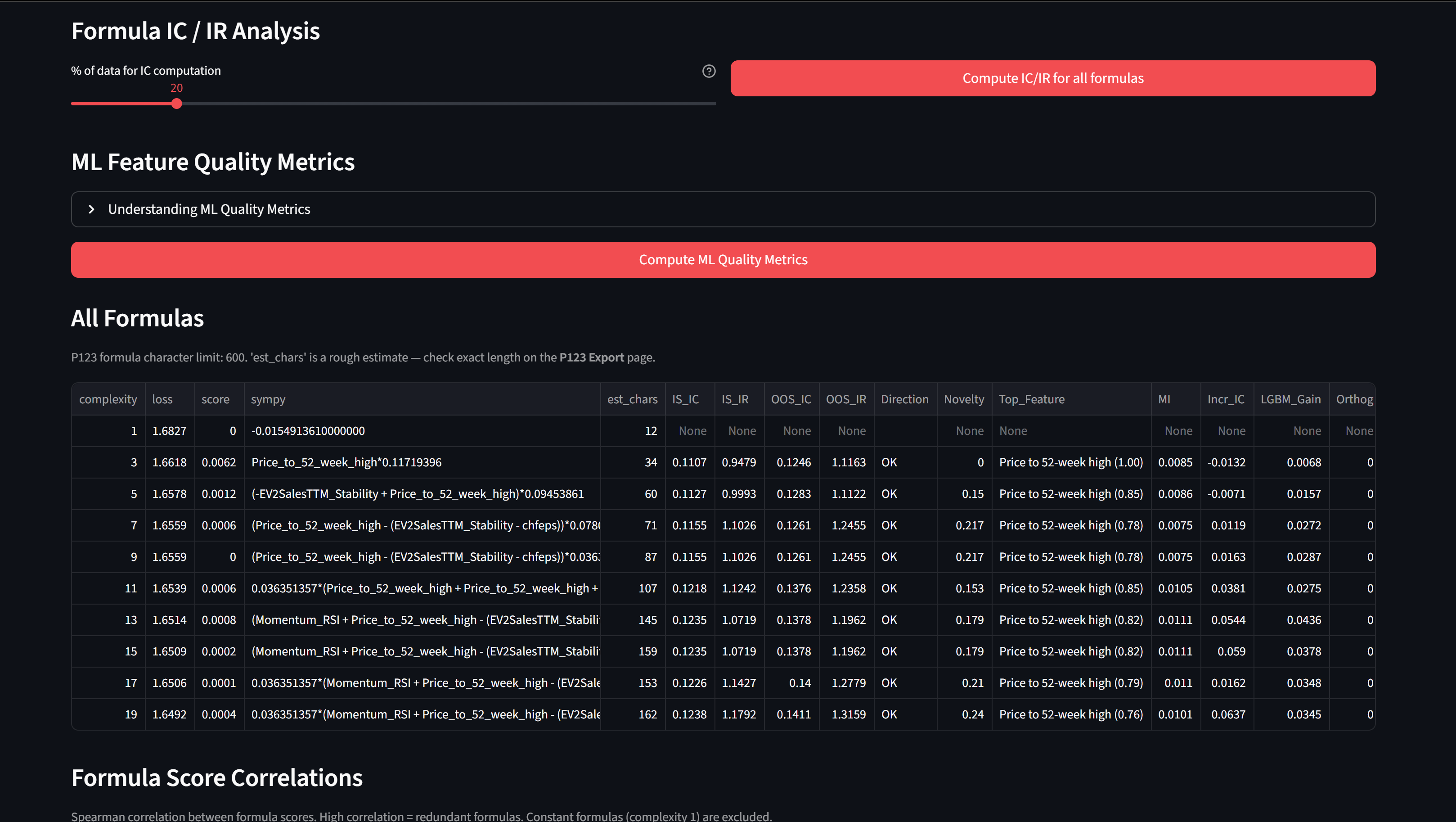
Explore - check Pareto front, compute IC/IR, compute ML quality metrics
-
Validate - compare IS vs OOS performance, check bucket analysis
-
Export - upload your P123 factor CSV, translate formulas, download XML
Tips
-
Start with Standard preset, few minute run. Quick is just for testing, Deep is for final analysis.
-
Use 15-30 features. More than 30 slows the search.
-
Always use a holdout split (default 20%). This is your overfitting protection.
-
Run multiple times with different random seeds. SR is stochastic.
-
After finding good formulas, use Feature Blocking to exclude those features and discover new signals on subsequent runs with unused factors.
-
If direct SR on returns gives weak results, try LightGBM Distillation for a smoother target.
The in-app Help & Guide page has comprehensive documentation covering every feature, before asking any questions, have a look there.
Feedback & Contributions
This is a hobby project, I'm sharing it in case others find it useful. You're welcome to fork it, modify it, and make it your own. Please share your results and what settings you used to inspire others.
All I ask is that you keep the "Buy me a coffee" link in the sidebar and give credit for the original work. Caffeine fuels development! - https://buymeacoffee.com/algoman
Happy factor hunting!
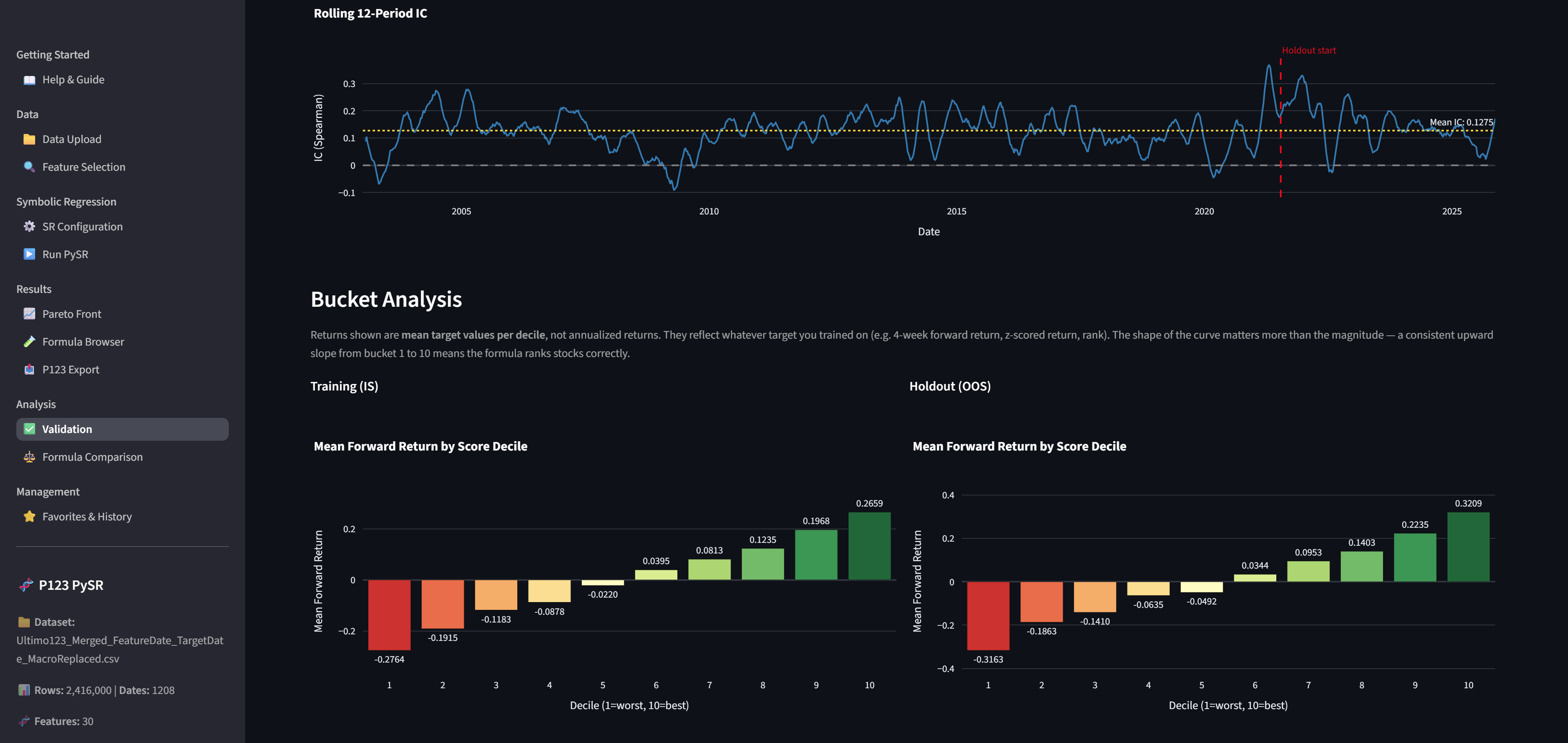
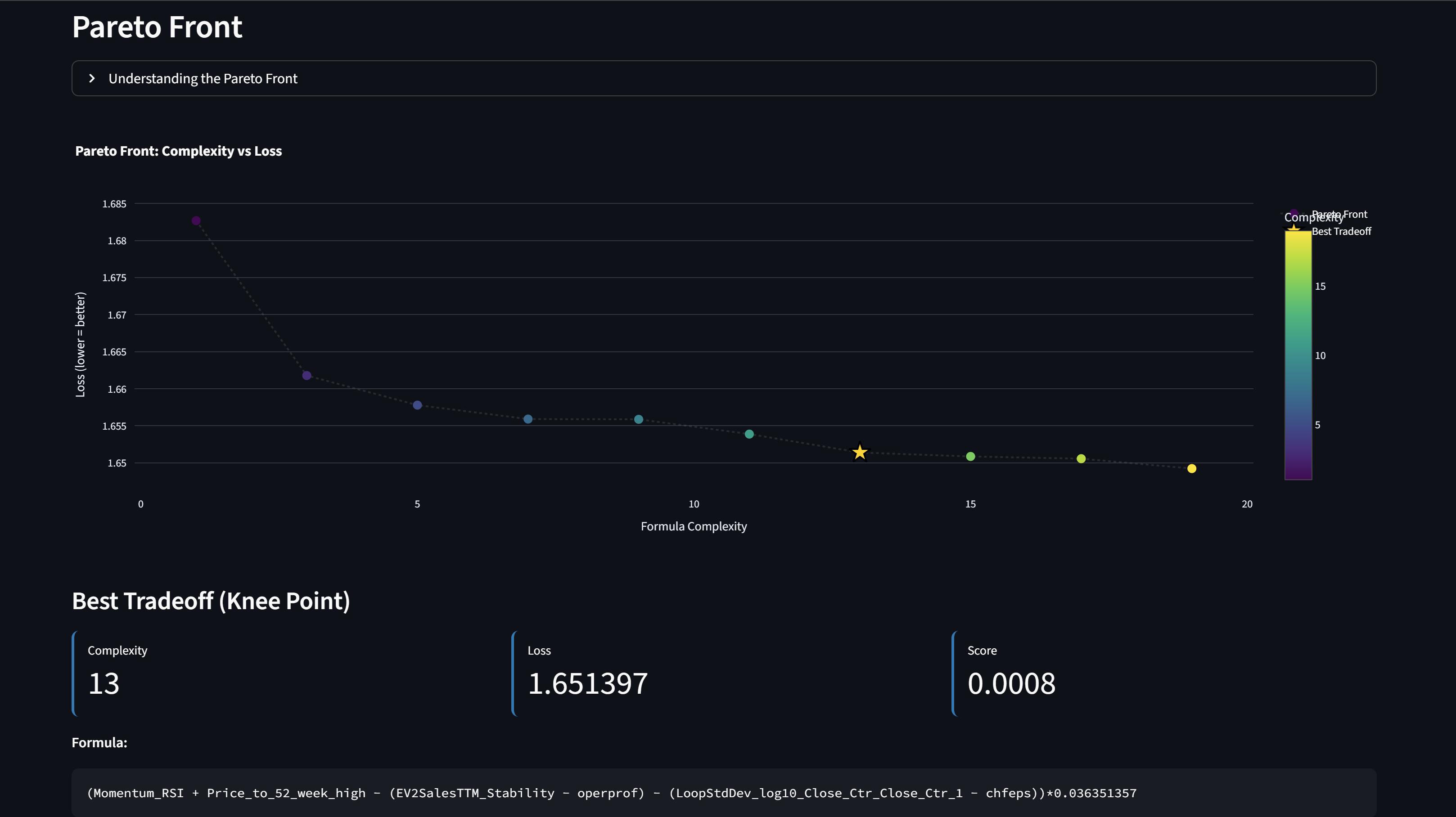
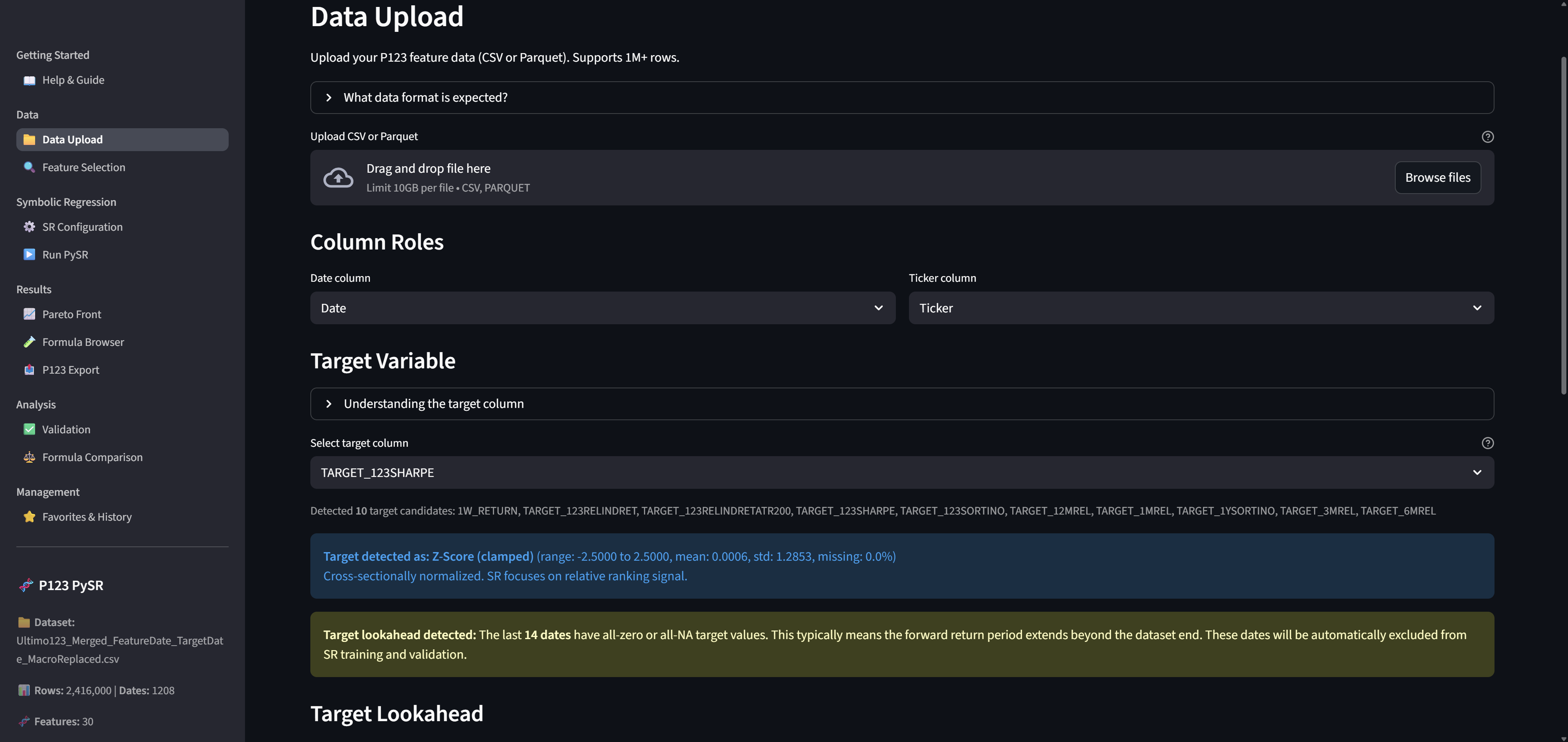
Some screenshots of the workflow, work your way down the menu...
Upload your data
Calculate IC and Correlations and select your features to analyze
Configure SR
Run your Search
Analyze your results in Pareto Front
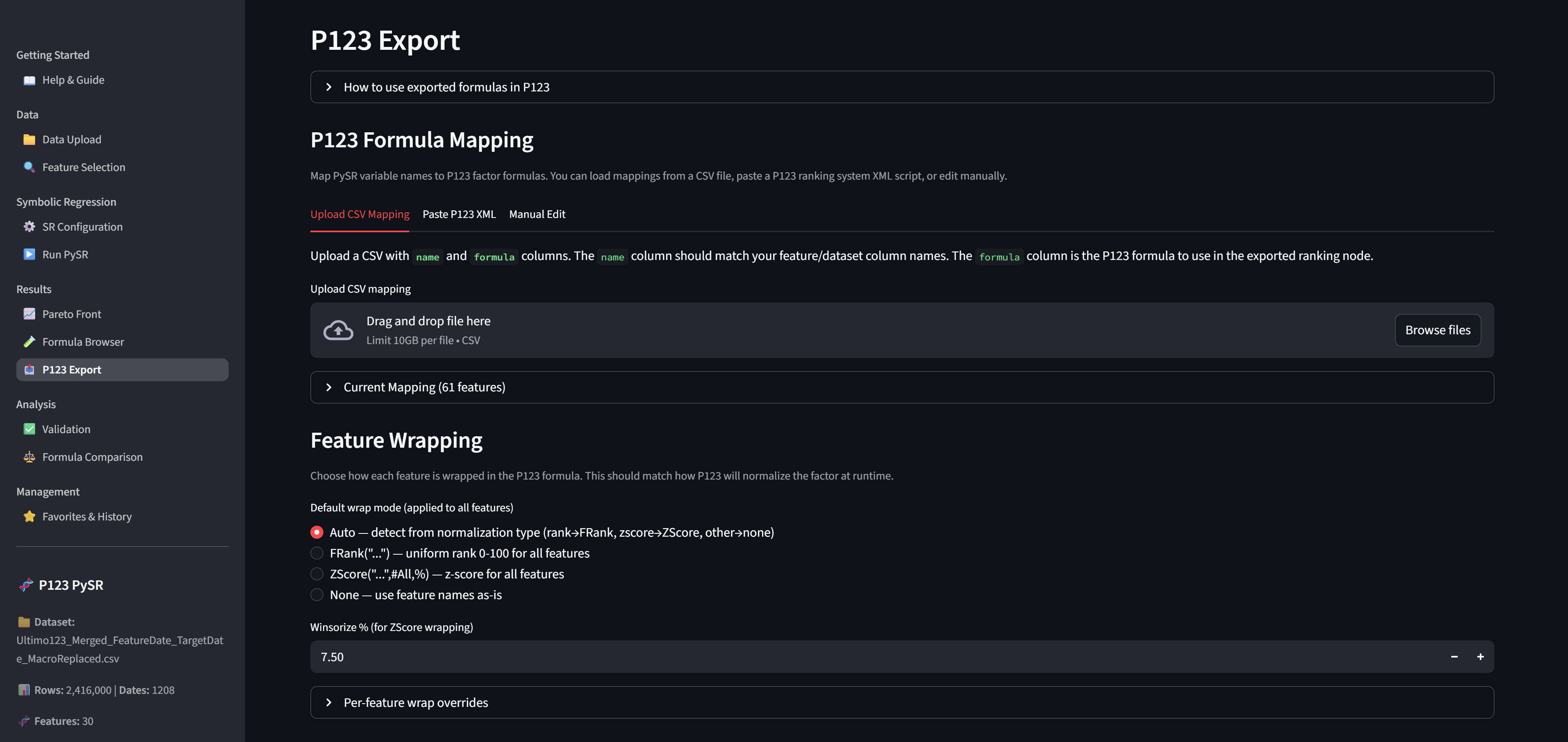
Mapp and export your formula
Validate results